


CAREER & FINANCES • HTML PLANNER
Find Out What Is Actually MissingA skills planner built around one career move. It estimates where you stand now, works out what the role you want actually requires, sets the two against each other, and turns the biggest gaps into a week of practice you can genuinely do. |
|
🔥 Paste the job ad, get the gap
A single interactive HTML planner that reads a job advert and turns it into the list of skills that role really requires, then sets each one against your honest current level. Every skill lands as ready, below target or missing — and the biggest gap becomes this week’s practice. Made for anyone who has read a job advert, felt roughly qualified, and had no idea which part to fix first. 🔓 Get Instant Access✓ Instant access to the HTML planner ✓ Built to fill in, not just to read ✓ Works on any device, lifetime access |
SOUND FAMILIAR?Knowing you’re behind is easy. Knowing on what is not
|
SEE IT BEFORE YOU BUY
What opens when you downloadNot a course catalogue that sells you the answer — a single file that works out the question first, in your browser. 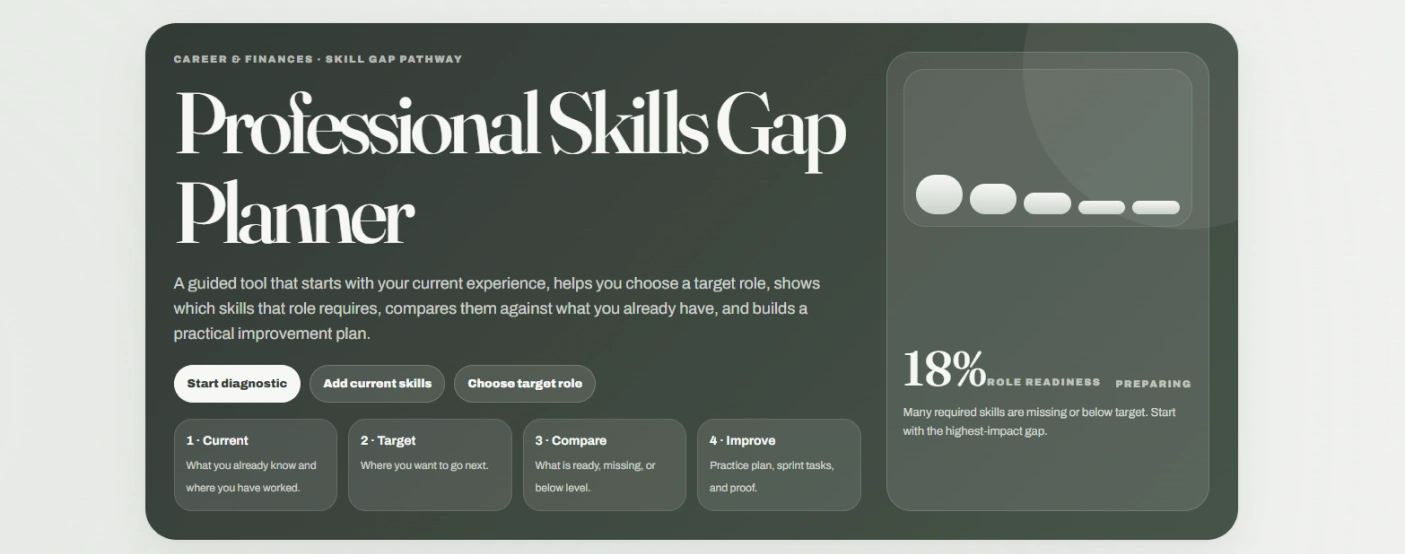
One number, and what to do about it. Role readiness sits on the right with a plain reading of why it is low — and the route underneath runs current, target, compare, improve, in that order. 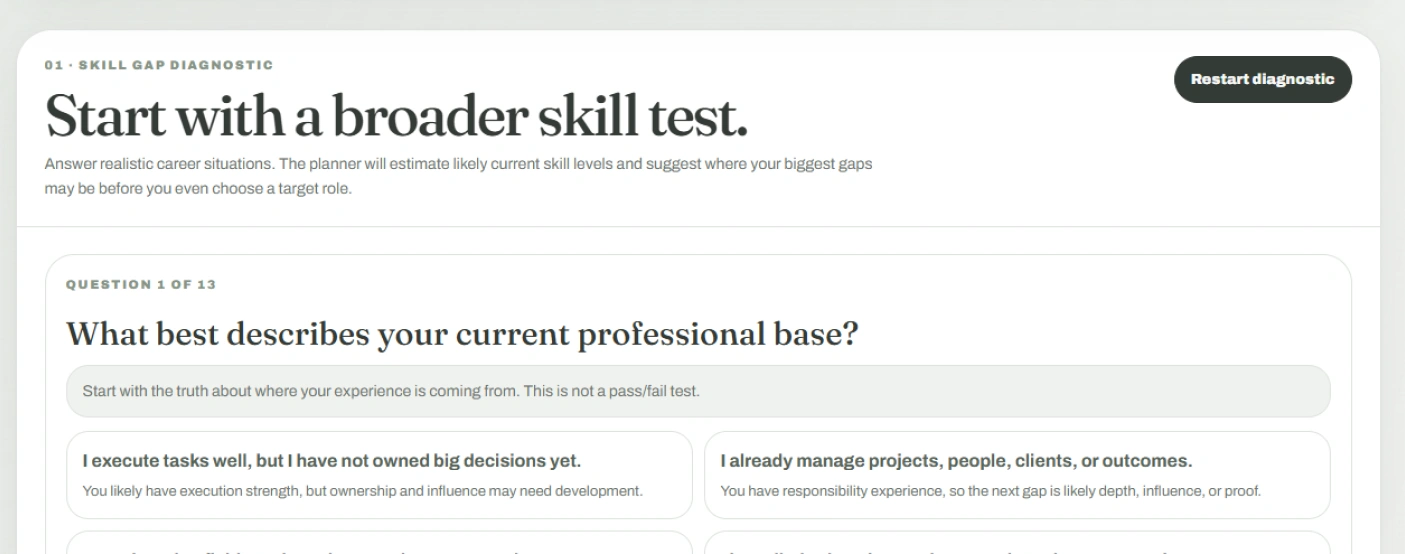
It asks about situations, not scores. Every option comes with what it implies about you, so the starting levels come from how you actually work rather than from how generous you were feeling. 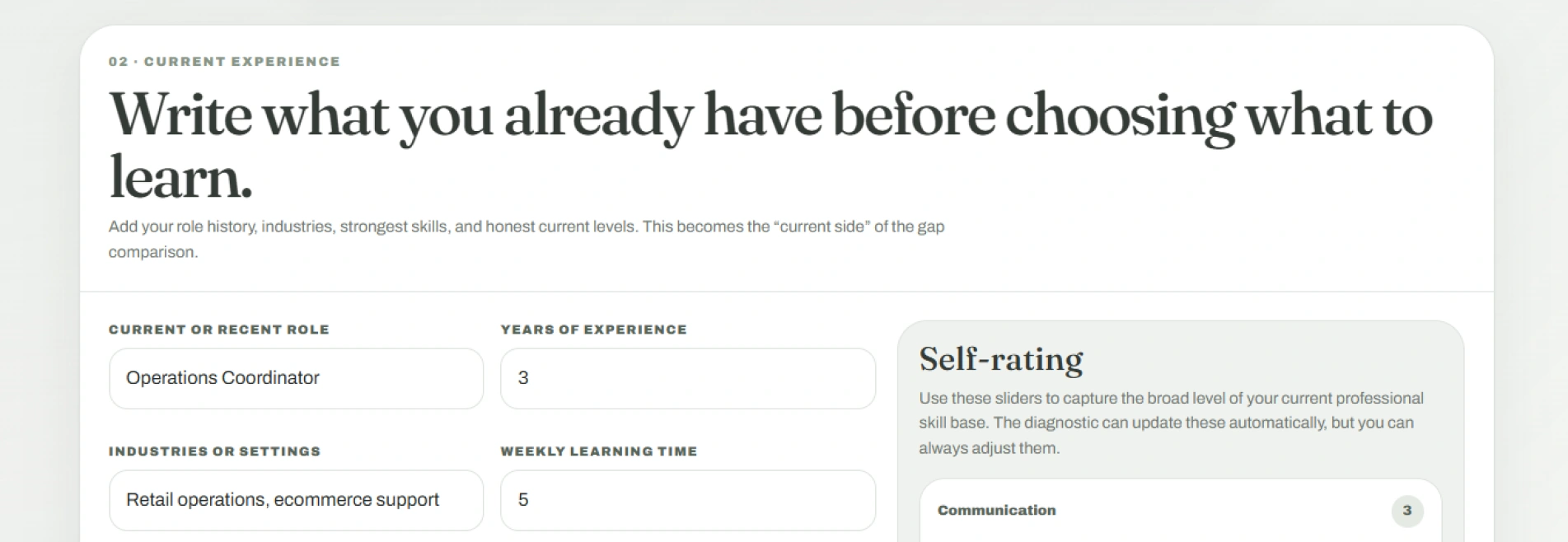
Your side of the comparison, written first. Role history, industries, honest weekly learning time and where your skill base really sits — before a single word about the job you are aiming at. |
|
WHAT'S INSIDEWhat it puts in your handsSix things that turn “I should probably learn more” into a named skill and a week’s work.
| |||||||||||||||||||||||||||
ONE SITTINGTwenty minutes in, and the gap has a nameIt isn’t something you read. You sit down with a rough sense of being behind, work through it once, and come out with two named skills instead of a vague feeling.
The point isn’t a list of courses. It’s that the next conversation about your promotion has something concrete in it. |
Stop feeling underqualified. Start naming the gapTwo named skills and a week of practice will move you further than a year of meaning to get round to it. Instant download, lifetime access, opens in any browser. 🔓 Get Instant Access |
|
A self-assessment and planning tool only. Every level in it comes from your own answers — it is not a qualification, a formal assessment, or career advice. |
At a glance
|
HERE'S EVERYTHING YOU GET
Everything inside — yours for $PRICE
|
How do I get it after paying? +It's an instant download — the file is available the moment your payment clears, straight from your order confirmation. Nothing ships and there's no email delay. What devices can I use it on? +Any device with a browser — phone, tablet or laptop. You open the downloaded file the same way you'd open a web page, and the layout adapts to the screen size. What's the refund policy? +Refunds are handled under our store's Refund Policy (30 days), which covers the details for digital access. Will it know the roles in my industry? +It ships with six common targets, but the useful route is pasting in the actual advert or promotion criteria you're looking at — then the requirements come from the real thing rather than from a generic template. Is the diagnostic a real assessment? +No, and it says so as you go. It's a structured self-report that estimates where your levels probably sit from the situations you recognise, and every figure it produces stays editable. Can I plan for more than one role at once? +It works on one target at a time, which is deliberate — comparing yourself against two roles at once is how people end up learning a little of everything. Export the plan before you switch. Does it tell me which courses to buy? +No. It names the gap and turns it into practice you can do yourself; there's nothing to click through to and nothing being recommended to you. What if the skill I need isn't in the library? +You add it yourself, with its category, the level the role requires and how important it is. The library speeds up the scanner — it isn't a limit on what you can plan for. Where does my information go? +Into your own browser and nowhere else. Nothing is uploaded, so use the same device each time, and export or print the plan if you want a copy that outlives your browser data. |
